
IMPORTANT! Observers wishing to observe remotely during their run must adhere to the remote observing policies below.
Observers wishing to observe remotely, must indicate so on the Observing Run Preparation form (submitted at least 6 weeks in advance of your run). If this is the first time observing remotely (or the remote computer/location has changed) you must contact the WIYN Operations Manager (heidis at noao.edu) at least 2 weeks prior to your observing run in order to run a test of remote connectability. The computers in the Wisconsin and Indiana remote observing centers have been tested and verified - if you're observing from there you do NOT need to run a test prior to your run.
Remote Observing Policies
- Remote observers must have had at least one prior on-site observing run with the instrument they wish to use during remote observing. Observers without prior on-site experience with an instrument may request permission from the WIYN Director to observe remotely, provided that an observer who is experienced with the instrument will be available as a resource to the remote observer during the scheduled time. That experienced user may assist the scheduled observer either locally or remotely, but must be engaged and available for questions until the scheduled observer is proficient at using the instrument alone. It is the responsibility of the institution awarding the time to ensure that the necessary instrument expertise is available for any remote observing run.
- Remote observing must be identified on the Observing Run Preparation Form, which is due 6 weeks prior to the start of a run.
- WIYN recommends remote observing through a VNC or through MAC OSX Screen Sharing and does not support other desktop sharing utilities.
- Observer are required to use Skype or Polycom to connect with the OA on site.
- Observers must understand and acknowledge the risk of remote observing - if the link to the mountain is down they will be unable to observe and may lose observing time. Observatory staff are not obligated to obtain data for the remote observer in such an even unless previous arrangements have been made.
- Observatory personnel have the right to terminate any remote connection in the event of a potential security breach or misuse.
- Observers must supply a telephone number to the OA in case of emergencies or difficulties with network communications.
- For large remote programs, all object coordinates should be entered into a cache at least 1 week prior to the observing run.
NOTE: Please connect with your Instrument Support person prior to your observing run to determine when to connect on the afternoon of your first night. The phone number in the WIYN control room is (520) 318-8760.
Testing Your Connection
Presumably you are an observer wanting to observe remotely to WIYN and you meet the qualifications laid out in the remote observing policies. If you have never observed remotely from your desired location (or your IP address has changed) we'll want to run a test to make sure you are able to successfully connect to the WIYN computers. The computers in the Wisconsin, Indiana and Yale remote observing centers have been tested and verified - if you're observing from there you do NOT need to run a test prior to your run.
WHAT'S MY IP ADDRESS??
The first thing you'll need to do is to determine your IP address so that we can allow that IP address through the firewalls. The easiest way to determine this is to enter "my IP address" into Google - it will spit out what it sees as your IP address. This is what you need to pass along to the WIYN Operations Manager. Note that if you are using a DNS to dynamically set your IP address your IP address might change again before your run - you'll need to be sure if it does that you alert the Operations Manager of the change (most dynamically assigned IP addresses remain constant for a few weeks).
Once you know your IP address you'll need to setup a time to test the connection between your computer and the computers at WIYN. Contact the WIYN Operations Manager to arrange a test well in advance of your run (~2 weeks prior).
Logging In Remotely
We can only support remote observations from a Mac or Linux system (unfortunately we cannot support the Windows environment). The procedure is slightly different depending on which type of system you are using.
LINUX:
You need some sort of VNC viewer program - either RealVNC or TightVNC, both are free. Here's how you connect:
To login to WIYN:
- In a terminal issue the following command:
% ssh -L 10000:ssh-wiyn.kpno.noirlab.edu:5900 observer@ssh-wiyn.kpno.noirlab.eduFor observing with ODI the command is:
% ssh -L 10000:wiyn-5.kpno.noirlab.edu:5900 observer@ssh-wiyn.kpno.noirlab.eduProvide the observer password. You should now be logged into wiyn-2 as observer, and port 5900 of wiyn-2, which is for Screen Sharing (VNC), should be connected to port 10000 of your own machine. You should minimize the terminal window as a precaution so you don't exit the session by accident.
- Use a VNC viewer set to 24bit colors.
- If using RealVNC type: vncviewer -FullColor localhost:10000.
- If using TightVNC type: vncviewer -truecolor localhost:10000.
You should now be logged in to WIYN (on the wiyn-2 or wiyn-5 computer).
MAC OSX:
With a Mac it's a bit simpler to login.
To login to WIYN:
-
In a terminal issue the following command:
% ssh -L 10000:ssh-wiyn.kpno.noirlab.edu:5900 observer@ssh-wiyn.kpno.noirlab.eduFor observing with ODI the command is:
% ssh -L 10000:wiyn-5.kpno.noirlab.edu:5900 observer@ssh-wiyn.kpno.noirlab.edu -
In Safari (it is important that it is Safari and not another browser), type:
vnc://localhost:10000This will launch your Screen Sharing program. It's recommended that once the Screen Sharing program is launched you use the option to "Keep In Dock" so it's easy to launch next time.
Compared to a VNC viewer, Screen Share is more responsive because it has an "Adaptive Quality" option (under the "View" menu), which is turned on by default. Also, it has a "Scaling" feature that lets you see the whole remote desktop on your screen; moreover, you can easily view wiyn-2's Desktop 1 or 2 (i.e., one desktop at a time), which, combined with scaling, allows for a very effective interaction if you are on a laptop or a small monitor.
You should now be logged in to WIYN (on the wiyn-2 or wiyn-5 computer).
Launching the Necessary Programs
To access an instrument, double-click on the corresponding icon on the desktop. This will either launch the necessary programs or bring up a menu where you can launch the programs individually.
A couple of other tools on the desktop may be useful during your remote run - the 'WIYN Page', 'Video', 'Focus' and 'Calibration GUI' icons.
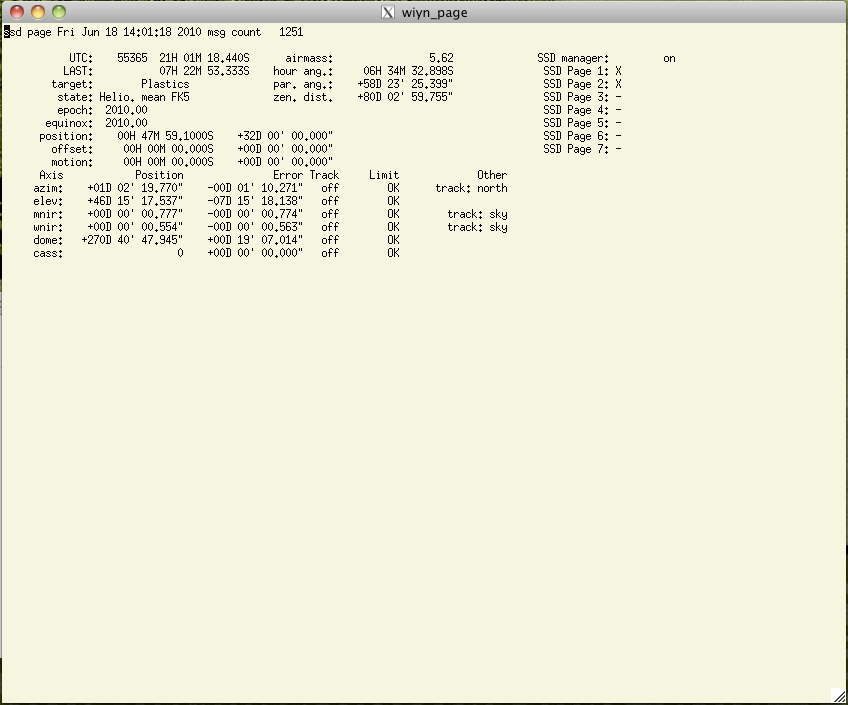
The WIYN Page icon will launch a program that displays useful telescope telemetry and status information. Many information pages are available and are navigated using different characters. To see a listing of all of the available pages type the letter 'h'. Type 's' to view the page displaying telescope status - this is the information displayed on the VDU in the control room. Type 'q' at anytime to quit out of this program.
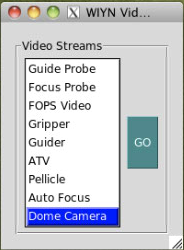
The Video icon will launch a widget that allows one to view different video feeds.
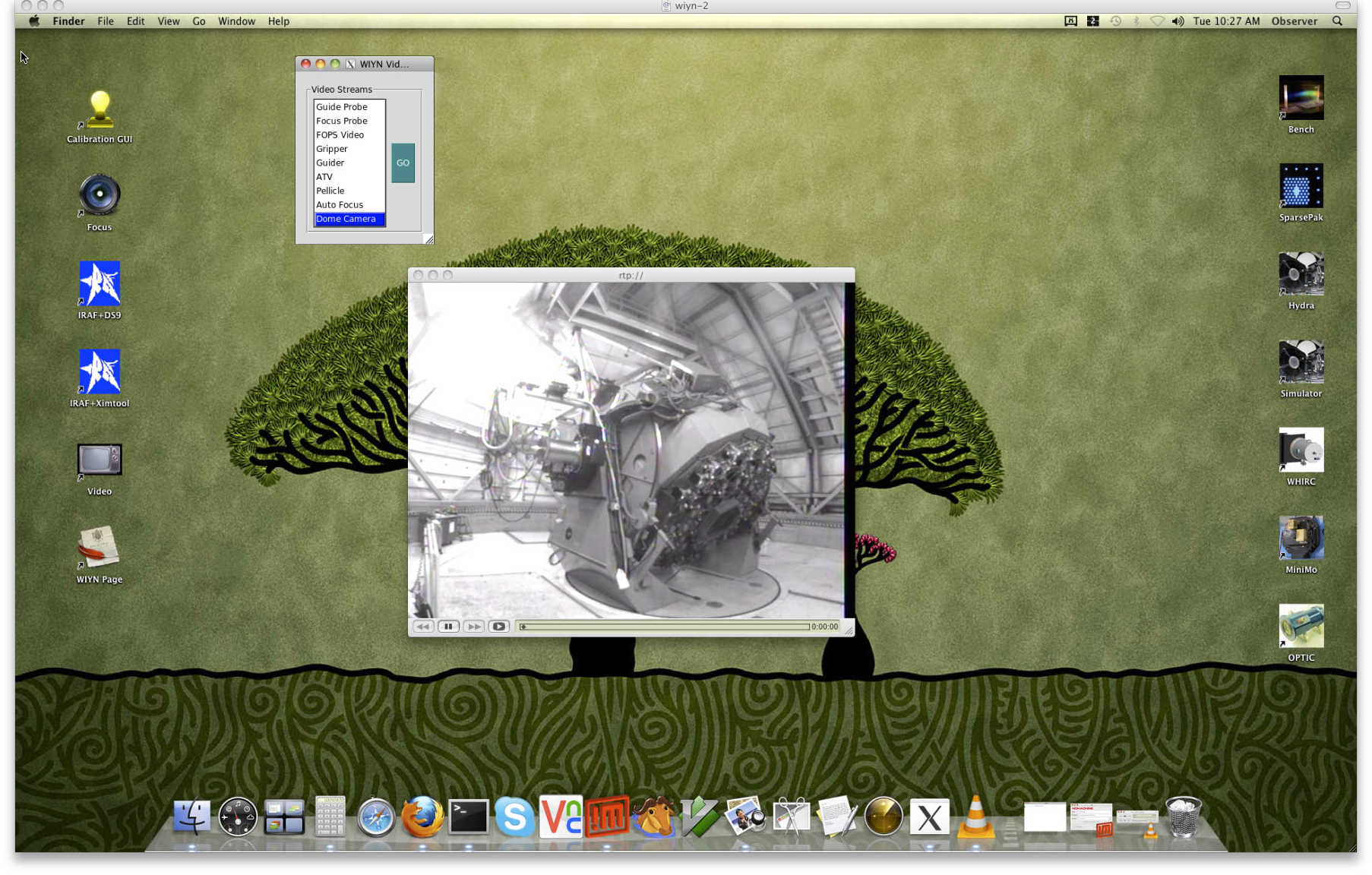
To change which feed you are viewing simply select the desired feed from the video GUI and click on GO.
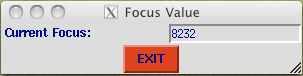
The Focus icon will launch a widget that displays the current telescope focus.
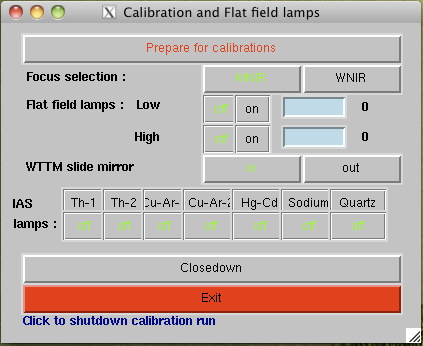
The Calibration GUI icon will launch the GUI used for taking dome flats. Here you will be able to select the dome flat lamps and change the intensity. You must coordinate with an OA or observatory support staff before attempting to take dome flats.
Accessing Your Data
The computers Cork and Dust are NFS mounted onto the Mac mini computer wiyn-2, making your data easily accessible from the Mac. From an xterm window on wiyn-2 change directories (cd) to /data. There you will see the directories 'cork' (Hydra, Hexpak/Gradpak or Sparsepak data) and 'dust' (WHIRC data). Change paths into the appropriate directory and then into the working directory.
- For Hydra, Hexpak, Gradpak or Sparsepak: cd cork/observer
- For WHIRC: cd dust/whirc
Remote observers only have direct access to ssh-wiyn (aka wiyn-2) and not directly to the data acquisition computers (cork or dust). Remote observers wishing to grab their data via ftp will need to sftp into ssh-wiyn.kpno.noao.edu.
- sftp observer@ssh-wiyn.kpno.noao.edu
- cd into the data acquisition directory as noted above (either cork/observer or dust/whirc)
- cd into your working directory (e.g. MyData/n1)
- mget *.*
For ODI data, please see the ODI Portal, Pipiline and Archive Guide.
[an error occurred while processing this directive]